Open Activity center, then Watch history
To find your TikTok watch history, open the app and go to Profile → Menu (☰) → Settings and privacy → Activity center → Watch history. Look near the top for recently watched videos, then open the clip you want to see again.
You do not need to have liked or saved a video for it to appear in the history list. This is a record of your viewing activity, separate from the Profile view history feature that concerns visits to creator profiles.
How to see your watched videos on iPhone and Android
The reviewed mobile guides use the same general route on iPhone and Android. Use the labels in your current app; an older screenshot may show a different menu arrangement.
- Open your TikTok profile. Tap Profile at the bottom and check the active username if you use more than one account.
- Open the menu. Tap the three-line Menu button, then choose Settings and privacy.
- Find Activity center. Look in the settings list rather than opening the Profile views privacy switch.
- Open Watch history. Browse the available thumbnails, starting with the most recent entries.
- Replay the video. Once you find it, copy its link or add it to Favorites if you want an easier way to return.
The wikiHow watch-history guide describes a list covering the past 180 days, with recent videos first. Treat this as the documented viewing window, not a guarantee that every video you have ever watched is recoverable.
If your version offers a date filter, use it to narrow the list. If it does not, move on to keyword search instead of spending time looking for a control that may not be available in your layout.
How to find a TikTok you watched but did not like
You might remember the topic, a phrase on screen or the creator’s name without recognizing a thumbnail. TikTok’s search can help narrow the candidates when scrolling through history becomes impractical.
- Open TikTok search and enter something specific you remember: a caption phrase, ingredient, product name, creator or hashtag.
- Open the Videos results tab if it is available.
- Look for Filters, sometimes under a three-dot menu.
- If your app offers a Watched filter, select it and apply the filter.
- Review the results. Try a different remembered detail if the first query is too broad.
For example, “pasta” may return too many clips. “One pan lemon pasta” plus a creator name gives the search more to work with. A sound or caption phrase can also be useful when the subject is generic.
A watched-results filter narrows matching search results; it is not necessarily an exhaustive export of your history. Also distinguish date posted from date watched: a video you watched yesterday may have been published years ago.
Check other places where you left a trace
If you liked, favorited, commented on or shared the video, check the corresponding area of your account or the conversation where you sent it. If you opened it in a browser, your browser history may contain the URL. Those are useful fallback paths even when the watch-history thumbnail is missing.
Why is TikTok watch history missing or incomplete?
First decide whether the problem is a missing menu, an empty list or one unavailable video. Each points to a different next step.
| What you see | What to check |
|---|---|
| No Activity center or Watch history | Check for an official app update and review the current settings labels. Web and Lite versions may differ. |
| The list belongs to a different account | Switch to the account you used when you watched the video. |
| Older entries are missing | The list has a viewing window, and entries may have been cleared. Try Favorites, shared links or keyword search. |
| A thumbnail will not open | The post may have been removed, made private or restricted. A history entry cannot restore access. |
| The page does not load | Check your connection, reopen the app and try again before changing account settings. |
If you watched while logged out, do not assume that session will be merged into the account you later sign into. Likewise, changing phones does not mean you should search a different account’s list.
A missing clip is not a good reason to reinstall the app immediately. Start with the active account, history list and remembered details. If you still cannot find the menu after checking the current app version, use TikTok’s in-app help.
Be cautious with services claiming to recover anyone’s complete private TikTok watch history. A public-content viewer has no access to that private account record.
Can you find TikTok watch history on PC or Mac?
The reviewed instructions describe the TikTok mobile app. This guide does not assume the desktop website has an equivalent Activity center or full watched-video gallery.
If you are using a PC or Mac, the practical approach is to find the video in the mobile app and copy its link to the computer. For a video you opened directly in a desktop browser, check that browser’s history for TikTok pages.
Browser history and TikTok watch history are different records. Scrolling through a feed may not create a separate browser-history entry for every video that played. Incognito browsing also should not be treated as a source of a persistent browser-history list.
How to delete TikTok watch history
If you want to clean up the visible list, first copy the links to videos you still want to keep. Then follow the selection controls in Watch history:
- Return to Activity center → Watch history.
- Tap Select and choose the entries you want to remove.
- To clear the entire available list, choose Select all watch history if your app provides it.
- Tap Delete, read the confirmation and confirm only the intended selection.
Do not expect an undo option for deleted history entries. Removing an entry from this list does not delete the creator’s original video, remove your Favorites or erase a comment you posted.
Clearing watch history is also different from clearing the app’s cache. The history is a record of viewing activity; it is not a folder containing a downloaded video file for every item. Use the app’s storage controls if your actual goal is freeing device space.
The Verge’s walkthrough notes that clearing the visible history should not be interpreted as immediate erasure of all watch-related data held by TikTok. Read the current in-app explanation for what your deletion action covers.
If your concern is whether a creator sees a profile visit, that uses a different control. Our guide to turning off TikTok Profile view history explains that setting. Clearing watched videos is not a substitute.
Can you download a list of your watch history?
You can inspect TikTok’s account-data request options if you want a record beyond the history screen. The reviewed export guide uses Settings and privacy → Account → Download your data.
Follow the data-category and file-format choices shown for your account, submit the request and return when TikTok makes a file available. Preparation can take time, so this is less convenient than Watch history when you are trying to find a clip you just lost.
Check the delivered file for the information actually included. A request is not a guarantee of a complete lifetime watch list, restoration of cleared entries or access to a deleted post. TikTok’s requesting your data help is the primary reference for the current process.
An account-data export is also different from downloading the videos themselves. A file containing activity records or links is not automatically an offline video library.
Found the video? Make it easier to return next time
Once you have the right clip, save a useful reference rather than relying on finding it in a long history list again. Copy the post link, add it to Favorites or note the creator’s handle.
If you have the link, the ttokviewer TikTok video viewer offers a way to open available public content in your browser. If you remember the creator but not the exact clip, the TikTok account viewer can help you browse that public creator’s available posts.
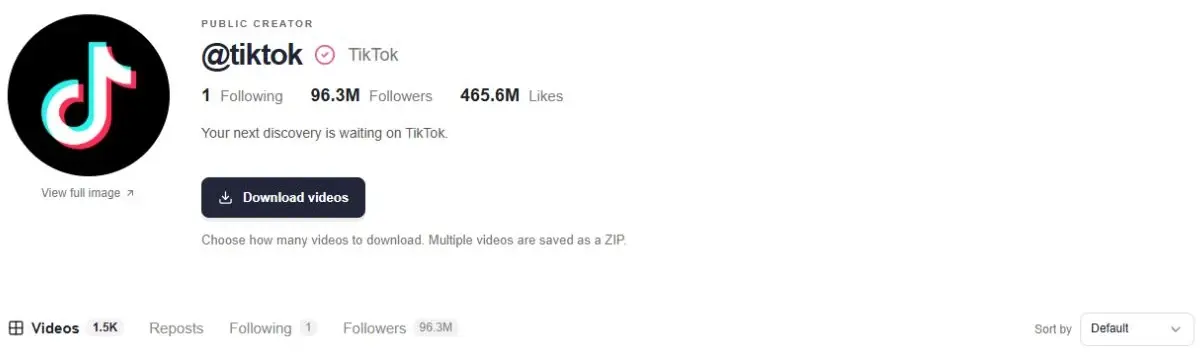
ttokviewer cannot read, restore or import your private TikTok watch history. Its role begins with the public handle or link you provide, and removed or restricted content may remain unavailable.
For an offline copy of an available video, follow our TikTok download guide for iPhone, PC and Mac. Favorites, bookmarked links and local files serve different purposes; choose the one you need.
Return to the public content.
Open an available post or explore a creator’s public profile with ttokviewer.
Open ttokviewerFrequently asked questions
Does TikTok have a watch history?
The mobile guides reviewed here describe Watch history in Activity center. It lists available watched-video entries for your account. It is different from search history, Favorites and profile visitor history.
How far back does TikTok watch history go?
The reviewed guides describe a 180-day window. That is not a promise of complete lifetime history. Cleared entries and posts that become unavailable can limit what you can find.
Can someone else see my TikTok watch history?
Your account’s Watch history screen is different from a creator’s viewer features. It is not presented as a public profile tab. Other activity can still be visible under separate rules; see how profile, post and Story views differ.
Can I recover a video after clearing watch history?
Do not rely on restoring the deleted history entry. Try a saved link, Favorites, liked videos, a shared message or a keyword search. Finding the original post again is different from recovering your cleared history list.
Does clearing watch history remove my likes or Favorites?
Clearing watched-video entries is a separate action from unliking a post or removing it from Favorites. Check those lists separately if you want to change them.
Can I turn off TikTok watch history?
The current reviewed guides do not describe an available off switch for Watch history; they describe clearing entries. Do not confuse that with the separate Profile view history switch. Check your app’s current controls for changes.
Sources & editorial notes
Written by ttokviewer from the accessible walkthroughs below. The watch-history guide was visibly updated in July 2026; The Verge’s guide was updated in March 2024. The official data-request page redirected to a support shell without readable article text during this review. We have not tested every app version or verified a complete history-retention policy; check the controls and notices shown in your account.