Explore shared interests
Browse available reposts to see the kinds of clips an account shares. Treat the list as a snapshot of accessible content, rather than a complete history of someone’s interests.
Open a creator’s available public reposts directly. Browse shared videos, then visit the original work to watch and read the discussion.
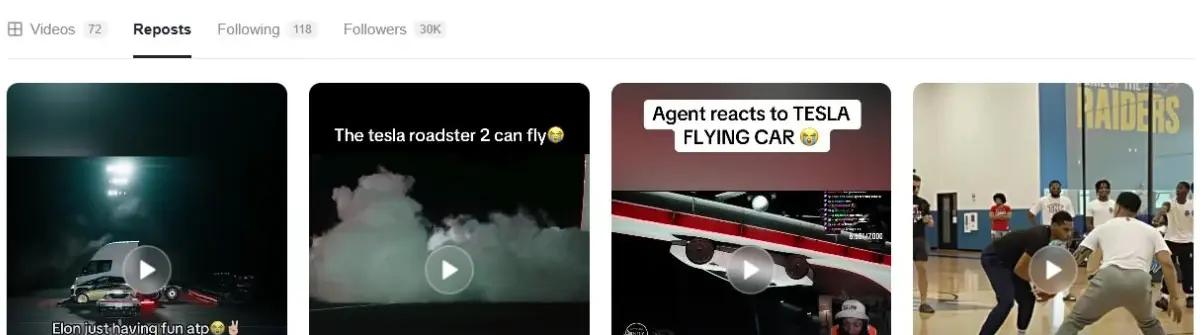
The TikTok repost viewer opens a creator’s Reposts tab from a username or profile link. It gives shared works their own space, separate from videos published by that account. Use it as a repost checker when you want to explore what an account has shared.
Each available repost leads back to the original work. That distinction matters: the person who reposted a video is not necessarily its author. Watching the original and reading its caption gives you more context than a thumbnail alone.
Start on the Reposts tab instead of sorting through the creator’s own uploads. A repost points to another creator’s work; it is not a new upload by the account you searched.
Open the shared work to see its caption and available comments. Return to the creator’s profile whenever you want to switch to their own videos.
Browse available reposts to see the kinds of clips an account shares. Treat the list as a snapshot of accessible content, rather than a complete history of someone’s interests.
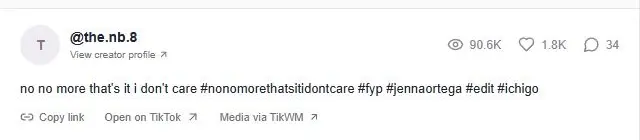
Open a shared video to see the available creator and caption. Keep the original author separate from the account whose repost list led you there.
Switch between Reposts and Videos within the same profile. The two tabs answer different questions: what the account shares and what it publishes itself.
Enter the exact @username or paste the public profile URL above, then choose View reposts. The profile opens with Reposts selected. Browse the available grid and scroll to request another batch of results.
Select a repost to open the original video or photo post. From that detail page, you can watch available media and read its public comments. Return to the account profile to continue through the repost list or switch to the creator’s own works.
An empty response means no reposts were returned for that request. The creator may have no available public reposts, or the source may not expose the list. It is not enough evidence to conclude that the account has never reposted a video.
A request error is a different state from a returned empty list. Retry a failed request later. ttokviewer does not recover removed reposts, bypass privacy settings or reconstruct a historical repost timeline.
The account may have no available public reposts, or the source may not expose them. A confirmed empty response differs from a failed request. Neither is a reliable history of everything the account has ever shared.
No. Entering a username does not bypass privacy settings or reveal hidden shares. The repost viewer only shows works that are accessible through the source, and an original video can become unavailable even when it was shared earlier.
You can request available public reposts without signing in to TikTok through ttokviewer. Enter the creator’s username to open the dedicated Reposts view. Account settings and the data source determine whether any shared works can be returned.
No. A repost shares an existing work. The original creator remains the author of that work. Use the Videos tab for the searched account’s own uploads and open a repost to see its original author and discussion.
This viewer shows reposts returned by the current request. It does not maintain an account’s deleted-repost history or recover previously removed shares. A missing item may also reflect an inaccessible original work or a source limitation.
The current workflow provides browsing and links to available shared works. It does not provide a full-text search across every repost, a historical comparison report or a dedicated repost-list export. Use the work page for the supported viewing and comment tools.
Start with content that is publicly available.