Catch up on a shared post
Open the video in your browser, read the caption and see the available discussion without setting up a TikTok account.
Explore public TikTok videos, profiles and conversations in your browser. Find a creator, browse their world, read the replies—and save the videos or comments you need.
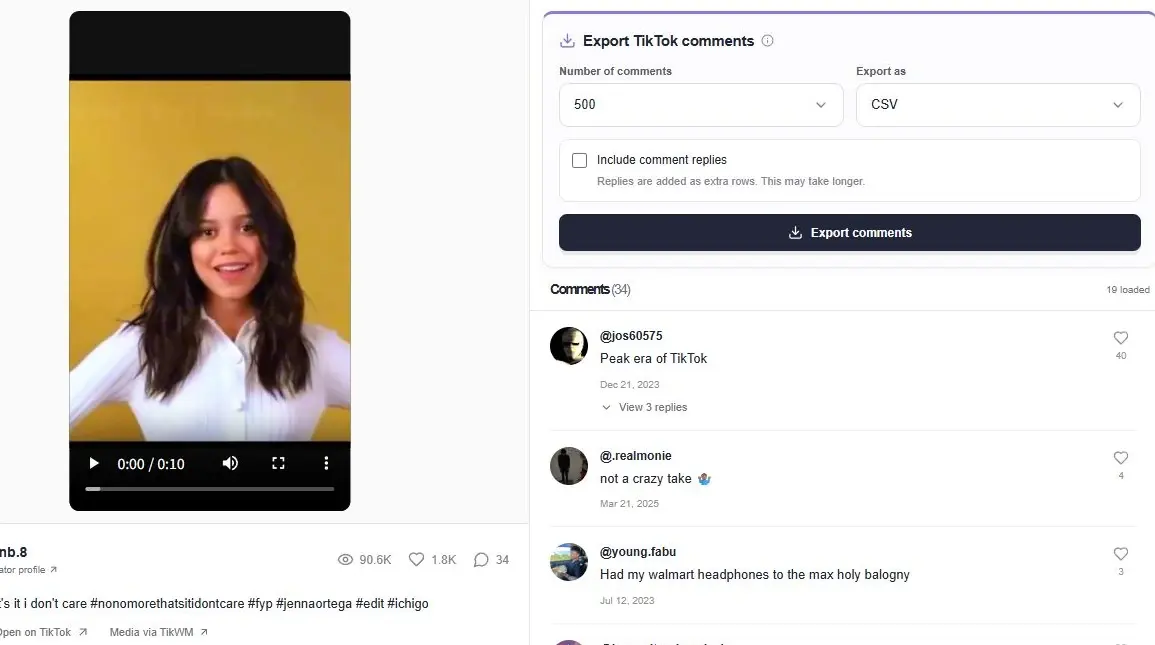
A shared link is often just the starting point. ttokviewer lets you watch TikTok without the app, look up a public creator and follow the conversation around their work. Video and profile pages connect naturally, so you can move from one post to the person behind it.
Browse available reposts, followers and following lists, then return to the original work for its caption and comments. When you need a file, export the discussion or collect creator videos for a batch download. Each action starts in the same public-content workspace.
Use the online TikTok video viewer to watch a public clip or explore an available photo slideshow. Keep the caption, creator and conversation together, then open the author’s profile to browse more of their work.
Open a video link directly, watch in your browser and explore the available comments.
Look up a public profile by username. Read the bio, check public totals and browse published works.
A creator profile brings Videos, Reposts, Following and Followers into one workspace. Move from an account to a shared work or another public profile, keeping the relationships clear as you browse.
Browse available public reposts separately from uploads, then visit the original work and author.
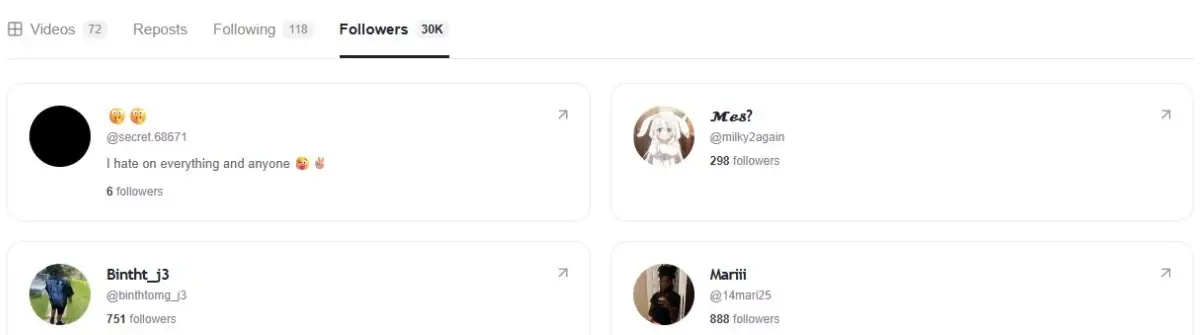
Explore public account cards and open their profiles. Lists load in batches alongside the available total counts.
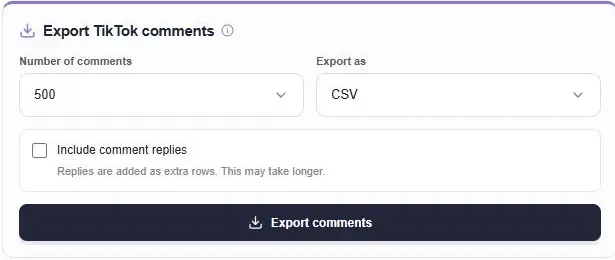
Read the discussion behind a post, expand reply threads, and export available TikTok comments to CSV or Excel. For video files, start from a creator’s profile and choose a batch download quantity.
Choose a comment quantity, include available replies and collect more than the comments already on screen.
Collect available creator videos by username, confirm the quantity and follow download progress.
Use a keyword or username to discover content, or paste a full profile or work URL to go straight there.
Watch a post, visit its creator, browse available public lists and expand the conversation.
Export available comments as CSV or Excel, or choose a video batch from a creator profile.
Open the video in your browser, read the caption and see the available discussion without setting up a TikTok account.
Browse uploads and reposts, inspect public account information and open profiles from available follower or following cards.
Review audience questions, export a post’s comments for spreadsheet analysis or save permitted videos for reference.
A TikTok viewer opens public videos or creator profiles in a browser. ttokviewer combines video playback, profile browsing, available reposts and account lists with comment viewing and export. Start from a username, keyword or public TikTok link, then follow the content you want to explore.
Yes. This workflow does not require installing the TikTok app or connecting a TikTok account. Paste a public video or photo-post URL to open the work in your browser. Media access, sound and playback still depend on the source and your browser settings.
Use a keyword or name to discover available matching videos and creators. A complete profile URL opens that creator directly, while a video or photo URL opens that work. Search coverage depends on the data source and may differ from results inside TikTok.
Open a public creator profile to switch between Videos, Reposts, Following and Followers. Available lists load as you scroll, and account cards can open another public profile. The reported total and number of accessible cards can differ; the source may not expose an entire list.
Yes. Open a public work and use the comment export panel to select CSV or Excel (.xlsx), choose a quantity and optionally include available replies. Collection can request additional pages, so you do not need to load every comment manually before starting.
Open the creator’s profile and choose Download videos. Select an available quantity and confirm to start collection. The video batch skips photo posts and follows the current ZIP size limit. Expiring media links and source limits can affect which files are returned.
No. Using ttokviewer without connecting a TikTok account does not unlock private posts or restricted lists, and it does not guarantee complete anonymity across your browser, network or external data sources. Only content available through the source can be displayed.
The source can limit requests, media links can expire, and account visibility can change. Retry a failed request later and check that the URL or username is correct. An unavailable response does not prove that a creator deleted the content or has no followers.
Start with a username, a keyword or a public TikTok link.
Open TikTok Viewer