Check your local follower requirement and the 18+ hosting rule
TikTok LIVE requirements include an age requirement and follower eligibility. Do not treat 1,000 followers as a worldwide guarantee of access. TikTok’s official Japanese LIVE guide lists 18 or older and at least 50 followers, with a warning that conditions can change. That is a localized example, not a global 50-follower rule. See the Japan LIVE Creator Hub guide and the verification notes below.
For your own account, look for LIVE in the creation screen and read any eligibility message TikTok displays. Having the quoted follower count alone does not establish that you can host, use desktop streaming or receive Gifts.
How many followers do you need to go LIVE on TikTok?
You will encounter both 50 and 1,000 in published guides. They should not be combined into one rule. Shopify’s guide describes regional variation and mentions both figures. Hootsuite and Buffer state 1,000, but their pages also retain an age threshold of 16. TikTok’s 2022 policy announcement raised the hosting age to 18 starting November 23, 2022.
The Japanese official guide is useful evidence of a regional condition. It does not establish the threshold in the United States, the United Kingdom or another market. We do not have a verified country-by-country table to publish here.
| Number you found | What the evidence supports | What to check |
|---|---|---|
| 1,000 followers | A threshold stated in several general guides. | Whether TikTok applies that requirement to your account and region. |
| 50 followers | A condition listed in TikTok’s Japanese LIVE Creator Hub guide. | The market covered by the source and the conditions in your own app. |
| 16 years old | An older hosting rule that remains in some guides. | TikTok’s documented change to 18, rather than relying on that older age. |
If your app gives you a specific follower target, use that target for your account. Save the message and date if it conflicts with a guide you read. A screenshot of another creator’s access cannot confirm your eligibility.
TikTok LIVE requirements to check before you stream
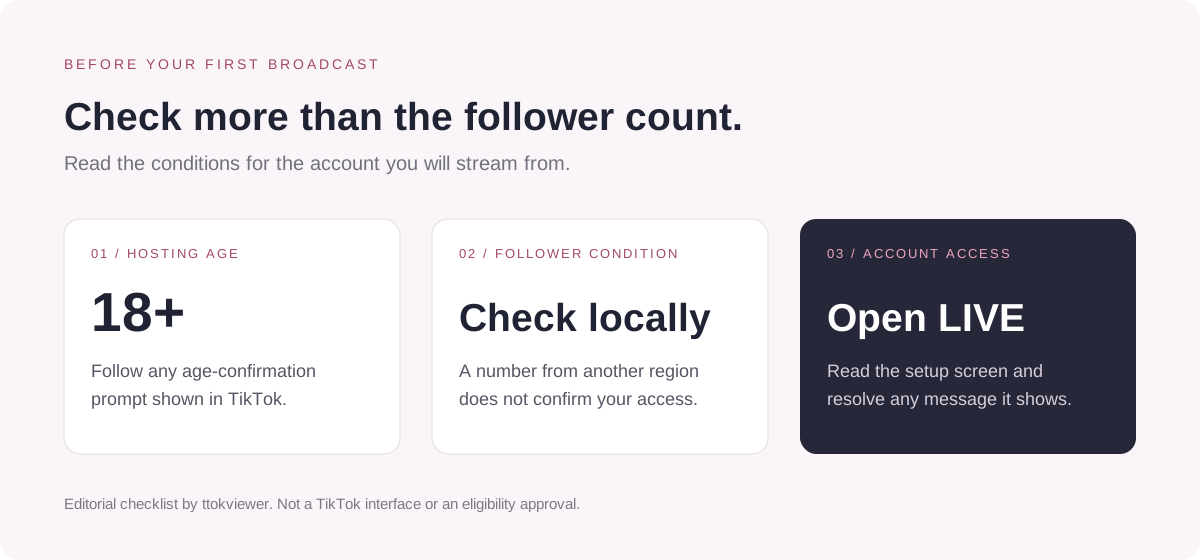
Check each condition separately. An adult creator with enough followers can still have an access problem that a follower counter cannot explain.
| Check | What to verify | Evidence or next step |
|---|---|---|
| Hosting age | You are at least 18. | TikTok’s age-change announcement, corroborated by the Japanese official guide. |
| Follower eligibility | You meet the requirement applicable to your account. | Read the local guidance and any eligibility message in TikTok. |
| Access or restrictions | You can select LIVE, or you understand the reason displayed for missing access. | Check notices attached to your account; record the exact wording. |
| Additional prompts | You have completed any verification or setup TikTok asks for. | Follow the instructions shown inside the official app. |
A prompt asking you to confirm your age is a separate issue from follower count. Complete the official process if one appears. This guide does not provide a way around age or account eligibility checks.
How to check whether your account can go LIVE
- Open the TikTok mobile app and confirm you are using the account you intend to stream from.
- Tap the create button, usually marked +, and look through the available creation modes for LIVE.
- If LIVE appears, open its setup screen and read any eligibility, verification or restriction message before proceeding.
- If it is missing, use the troubleshooting checklist below. Record what you see instead of assuming that one follower number explains it.
The creation-screen workflow is described in the Shopify tutorial and Buffer’s phone-streaming section. Labels and available modes can differ. Reaching the setup screen is a useful check; a warning displayed there still needs to be resolved.
How to go LIVE on TikTok once you have access
Prepare a short description of what viewers will see, then follow the controls available in your app:
- Tap + and select LIVE.
- Add a clear title and review the settings offered on your setup screen.
- Check the camera view, microphone, lighting and connection. Move private documents and notifications out of view.
- When you are ready to broadcast, tap Go LIVE.
- Use the end control and confirm when you want to finish.
These basic steps are consistent across the three reference tutorials. They describe the mobile workflow, not a test on a newly eligible account. For your first session, choose a manageable topic such as answering questions about one tutorial. Our TikTok hashtag guide can help you describe that topic accurately in a supporting post.
Can you go LIVE on TikTok without 1,000 followers?
A lower local threshold can make that possible: the Japanese official guide’s 50-follower condition is one documented example. It does not mean an account below 1,000 in another market will qualify. Check what TikTok offers to your own account.
Also distinguish being eligible from asking support to investigate an error. Hootsuite describes trying a rumored support workaround and says it did not work in its test. That is evidence against presenting the trick as a dependable solution, not evidence of an alternative approval route. See its under-1,000 discussion.
If your displayed requirement is 1,000 and you have 700, this article cannot establish an exception. If you have met the displayed conditions but LIVE remains unavailable, describe the discrepancy honestly when you contact support.
Why can’t I go LIVE on TikTok even with enough followers?
Use the following as a practical diagnostic order. It helps you collect useful information; it is not a list of confirmed causes for your account.
Check the account and the message first
Confirm the username and follower count on the account currently signed in. Then read any eligibility message or account notice. A requirement shown to a different account, or a screenshot from another region, may not explain your situation.
Separate eligibility from an app problem
Check for an app update, reopen TikTok and try a stable connection. These are basic troubleshooting steps, with no promise that they will unlock LIVE. If the setup screen reports an age or access restriction, record that message before spending time on connection fixes.
Send support a factual report
Look for Report a problem or the help options in TikTok’s settings. You can also start from the official LIVE Help Center. Include the information below so the issue is easier to assess:
- Your username, device model, operating system and TikTok app version.
- The date, your region, the follower count and the condition TikTok displays.
- A screenshot of the missing mode or exact error, plus any steps you already tried.
For example: “On [date], account [username] showed [follower count]. The LIVE screen says [exact message], but [specific condition appears satisfied]. I use [device/app version]. Please help me check this access issue.”
That is an editable reporting template, not a tested unlock message. We have no verified waiting period after reaching a follower target and no guaranteed support outcome to offer.
Do guest access, desktop streaming and Gifts use the same checks?
Treat them as separate questions. The Shopify guide separates joining another host’s session from starting your own and discusses LIVE Studio separately. An invitation to participate does not establish that your account can start its own broadcast. Check the prompts for the feature you want to use.
For desktop streaming, review the access offered in TikTok’s official desktop tools. This guide does not publish a universal LIVE Studio follower count or infer desktop access from the presence of the mobile LIVE button.
Receiving Gifts or earning money adds another eligibility question. TikTok’s 2022 announcement discusses hosting and monetization access separately. Check the current monetization options shown in your account. For the distinction between views, rewards and other earnings, read how TikTok pay works.
Frequently asked questions
Do you need 50 or 1,000 followers to go LIVE on TikTok?
Check the requirement for your region and account. TikTok’s Japanese official LIVE guide lists 50 followers and an age of 18 or older, while general tutorials often quote 1,000. The Japanese figure should not be applied to every market.
Can you go LIVE at 16 on TikTok?
Do not rely on older tutorials that say 16. TikTok announced an increase to 18 for hosting, effective November 23, 2022. Follow any age-verification instructions TikTok displays.
Why is LIVE missing when I have 1,000 followers?
Follower count alone does not identify the issue. Check the signed-in account, local conditions, verification prompts and account notices. Then check the app and connection. If the discrepancy remains, send support the exact message and a screenshot rather than assuming a fixed waiting period.
Can support enable LIVE below my displayed follower requirement?
There is no verified general exception or reliable unlock script established by the sources reviewed here. Ask support to investigate a real access problem and describe your account accurately. A request is not a promise of approval.
Does mobile LIVE access mean I can stream from a PC?
Check the access offered in TikTok’s desktop tools separately. A mobile setup screen does not verify LIVE Studio access, streaming-key access or any desktop follower threshold.
Can ttokviewer unlock TikTok LIVE for me?
No. ttokviewer helps you explore available public TikTok content. It cannot grant LIVE eligibility, confirm your age or change a restriction on your TikTok account.
Sources and verification notes
Reviewed October 26, 2026. Eligibility claims use the primary evidence below. The Japanese conditions were checked through the official page’s search-indexed excerpt, which lists 18+, 50+ followers and a notice that conditions may change. Full direct access to that page and the Help Center was unavailable during review. The Newsroom announcement was available in full through a text reader. Its 2022 policy change is dated explicitly.
- TikTok LIVE Creator Hub, Japan: LIVE配信を始めるには?. localized follower and age evidence; a regional example, not a global threshold.
- TikTok Newsroom: Enhancing the LIVE community experience with new features, updates, and policies. 2022 announcement of the increase in hosting age from 16 to 18, effective November 23, 2022.
- TikTok Help Center: What is TikTok LIVE?. an official destination for readers to check local guidance. Its full article body was not independently retrieved for this review.
We read the three guides below for structure, phone setup and common questions. Their conflicting eligibility numbers are discussed rather than silently combined. Hootsuite’s page shows July 25, 2022; a newer machine modification date does not resolve the older age stated in its body.
- Hootsuite: How to Go Live on TikTok (With or Without 1,000 Followers). follower question, setup, guests, workaround discussion and practical tips.
- Buffer: TikTok LIVE. eligibility, phone and desktop workflows, preparation and FAQs.
- Shopify: How to Go Live on TikTok: Requirements & Steps. regional caveat, setup, guest participation and FAQs.
The checklist, comparison table and support template are editorial synthesis. No host account, age-verification submission, support exception or LIVE broadcast was tested. Account-specific conditions must be checked in TikTok before broadcasting.